Using AI In Business vs. Automating With It: The 2026 Essential Guide For UK SMEs
Using AI in business means prompting a tool, while automating means AI runs inside a workflow that triggers itself. An email lands, a job gets booked, CRM records update, and AI handles the conversations.
More than half of UK companies (54%) are now actively using AI in business, according to BCC research with Atos. But, most UK SMEs are still at the prompting LLM stage, whether that’s having ChatGPT to draft emails, or Claude analyse spreadsheets – very few have automated anything.
I build automations for UK SMEs, and this is the gap that I observe the most. Most businesses stall at the ChatGPT stage, and struggle to turn it into consistent, reliable (and often boring) automated processes.
Most UK SMEs use AI, yet very few have automated anything
There has been a significant growth in reported usage of AI within UK SMEs over the last 12 months – The British Chambers of Commerce states that 54% of UK firms are now using AI, up from 35% in 2025. Yet, on the other hand the ONS (Office of National Statistics) puts this figure at 23% in late September of last year.
Whatever the figure, it’s true that businesses in 2026 simply cannot ignore AI. Every business owner knows the benefits that AI can bring to them, and every business owner has similar challenges – admin eating up time, resource constraints, consistency, customer service, cashflow, and the list goes on. Yet, only 19% of small business owners in the UK said they were very confident using AI day to day within their business (Simply Business survey 2026), and a third said they only use it for routine admin.
Lots of people have tried it. Far fewer have changed how their business runs.
Using AI in business vs automating with it
When business owners approach me, they are often already using AI in business processes. Routine admin, document processing, analysis and for other general business tasks, yet they often struggle with consistent output, accuracy and turning what was once a manual process into a fully hands-off task.
Here’s the difference of using AI in your business versus automating with it, using something I see all too often: orders arriving by email.
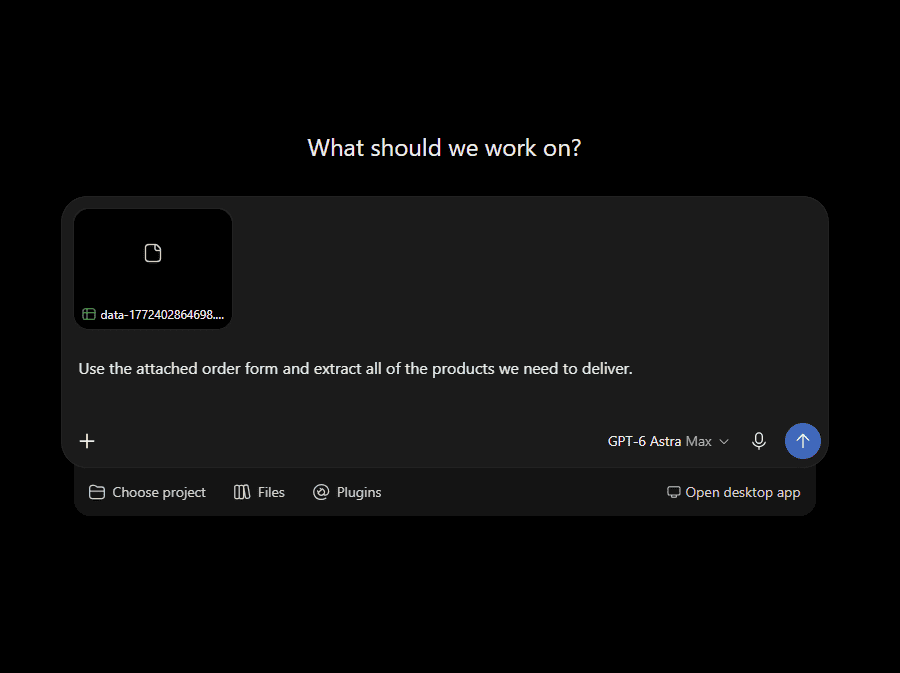
The “using AI” version looks like this. Someone opens the email, copies it into ChatGPT, and asks to pull out the product codes and quantities, then pastes the result back into the ordering system. It’s a bit quicker than doing it by hand in spreadsheets, but a person still has to notice the email, do the copying and manually check the output. Human errors creep in, AI often hallucinates, and what happens when that person is on holiday?
The automated version looks like this. The email arrives, a workflow picks it up. AI extracts all of the codes and quantities based on baked-in rules, the workflow checks the output against a database of product codes, and a draft order is sent back to their email. Anything that doesn’t feel right from the AI is sent for human-approval. Nobody touches it unless something needs their judgement.
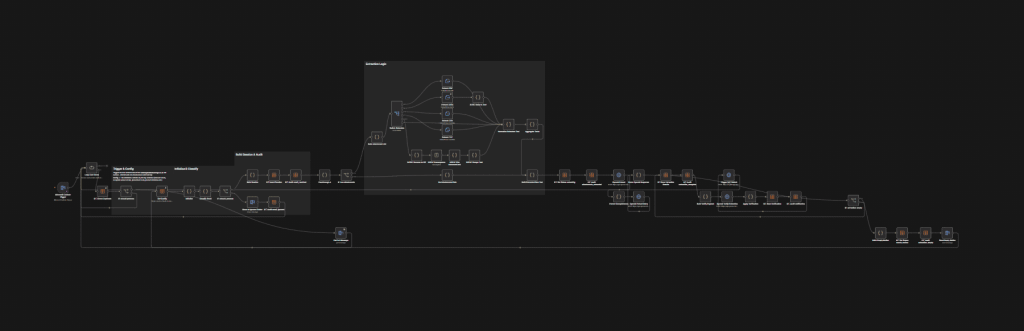
It’s the same AI, yet a completely different result. The difference is everything around the AI: a trigger to start the workflow, access to the right structured data, an action at the end, and an approval check where it matters.
It feels to me this type of manual task that many businesses perform is where most are stuck. In the BCC 2025 research report, only 11% of businesses said they used AI to any great extent to automate or streamline operations. Citing that the tools businesses use are often “fragmented and unable to talk to each other”. That’s one of the problems that automation solves. Whether you use a CRM like HubSpot, GoHighLevel, or simply work in spreadsheets and Outlook, an automation tool like n8n helps connect up the systems you already use and put AI where it needs to work.
Why businesses stall with AI
It’s no surprise that security and privacy is of the biggest objections to putting AI into business operations. The same Simply Business survey we referenced previously asked non AI-users what was holding them back. Security and privacy concerns topped the list at 44%, followed closely by not seeing a clear use-case at 39%, and being unsure how to use AI at 37%.
These are all fair concerns from business leaders, and recent news about large language models breaching organisations won’t have helped. Only this week it was announced that OpenAI agents had accessed an Australian government health portal, and had found it’s own way to get in. Earlier in the Summer, another disclosure that OpenAI agents had got into Hugging Face during a cybersecurity test. Headlines like this would make any business owner nervous about the possibility of AI agents within their own systems. More recently calls have been made by top researchers that AI may be likely to kill humanity in the future unless progress is slowed down. I’m not sure we are at Skynet stage just yet, but there are definitely risks with AI without guardrails or proper boundaries.

It’s worth being clear about what those incidents involved though – highly capable AI agents that had been let loose on the open internet and deciding for themselves what to do next. This isn’t the type of agent that a small business needs. The automations that take manual work off an SMEs plate are much more narrow. An automated workflow will do a specific job. It has access to only the systems and data that job needs, and AI may handle specific steps inside of the workflow. The AI can’t wander off, and it can’t hallucinate, because the workflow doesn’t give it anywhere to go. Workflows create defined logic for a process with boundaries, guardrails and policies that keep it secure, and consistent.
For these kinds of automated workflows, the real security questions is typically privacy. Where does your customer record or contact data go, where’s it stored, and which AI provider sees it? Those are questions you can answer and control with automation – which is often more than you can say by pasting customer emails or information straight into an AI chat window.
How automation addresses AI business concerns
Over the last 18 months I’ve spoken to over a hundred UK SMEs, and there is a pattern of four key objections to using AI in business that come up again and again. They line up almost exactly with the survey.
Security: Most people picture the risk as AI itself. In practice, the bigger risk is how you use it and your data gets to it. A well-built workflow controls exactly what goes where, and only sends the AI what it needs for its step. You can strip out names, addresses, or account details and obfuscate any data before anything leaves your system. Additional security can be implemented through self-hosting workflow automation tools such as n8n, and in regulated markets either building AI functionality in code or utilising local LLM models for tasks.
No clear use: I’ll often advise to stop starting from the tool and start from the task. What does someone in your business do repeatedly, following the same pattern every time? That’s often your pilot use case. If it starts with something a system can see (an email arriving, a spreadsheet row being created, a job being marked complete), it can almost certainly be automated.
Not sure how: That’s completely normal, and it’s the best argument for starting small. One contained automation that saves a few hours per week will teach you more than any AI strategy document will, and it gives you something to build on, understand the potential and opportunities.
Accuracy: AI does get things wrong, even inside a workflow. The difference is that a workflow can be designed around mistakes, instead of hoping they don’t happen. The workflow checks the AI’s output against custom rules and real data. AI will draft and a person will approve. AI flags and a person decides. Put human approval where a mistake would actually cost you, and let the rest run.
What this looks like in real businesses
A few examples of work we’ve completed to help you know where to start, anonymised, for further work examples visit out automation case study section.
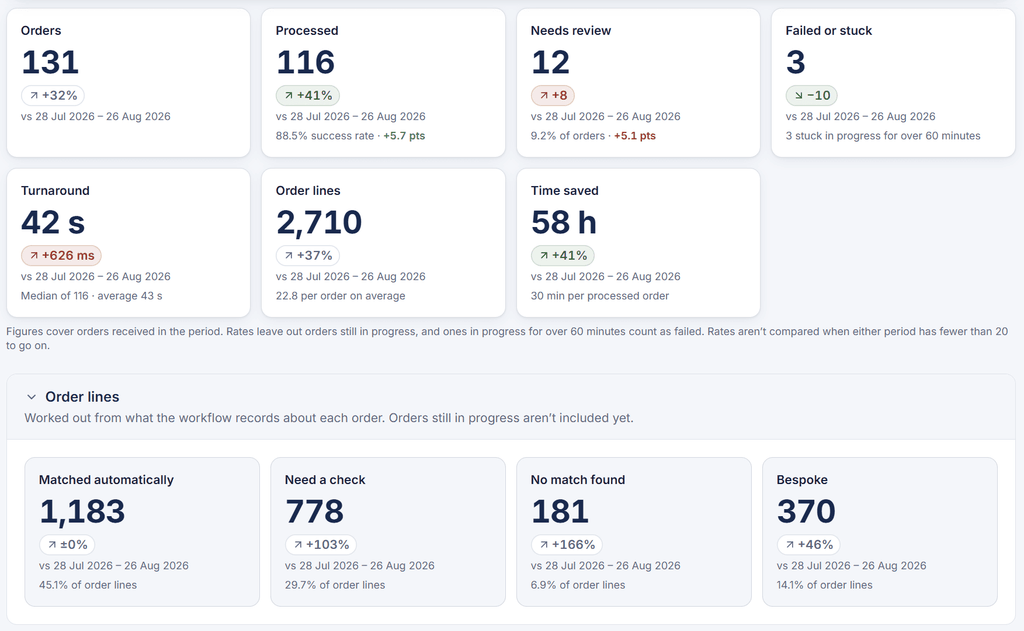
- A kitchen and bedroom manufacturer was manually inputting order data into their ordering system. Now whenever an email lands, a workflow triggers, AI matches the products, and anything that looks odd or doesn’t match is flagged for approval, an email lands in the users inbox with the full sales order they need. Savings of over 60 hours per month with ~120 orders per month.
- A heating company had leads coming into their system that weren’t being responded to when it got busy. Leads sitting cold in their system at night and on weekends. Now whenever a lead hits their system, AI sends out messaging, checks availability and gets new leads booked in 24/7. Savings of over 530 hours per month.
- A property developer had issues with monthly financial reporting. Each time it came to deliver reports, it took a person over 2 days to produce, copying various figures from 6 different spreadsheets. Now, on a schedule, an automation triggers, the spreadsheets are read by the workflow, and generate a powerpoint presentation template. Any variance that appears off is evaluated by AI and sent to a human for approval. Now, the output lands in their inbox ready, rather than number pulling for days. Savings of ~12 hours per month.
- A PV solar installer had challenges with quotes going stale, losing significant pipeline value. We built a workflow that sweeps their system once a day identifying any quotes older than 7 days without a response, the AI analyses the latest touchpoint and then provides a summary report on who needs chased and by who to management. Now management has clear visibility on potential sales at risk, and who to speak to for follow ups. Savings of 8 hours per month, plus an increased quote conversion of 20%.
None of these automations are flashy or complex. That’s the point. Business owners say they want AI in business tasks to help them win back time, not just write copy or emails, and this kind of reliable, consistent work is where time gets saved.
Where to start
If you want to go from using AI to automating with it, this is the approach I take with clients:
- List the repeat jobs. Anything that someone does more than a few times a week in the same way.
- Pick one with a clear trigger. An email arriving, a form submitted, a job marked complete. If it starts from something a system can see, it can be automated.
- Map where the data lives. Which systems does the task touch? This is usually where the real work is.
- Build it with a human checkpoint. Decide where a person needs to approve and put the check there.
- Measure then expand. Track the time saved on the first automation before you build the second.
Will automation replace my staff?
It’s a question I get asked a lot. I can say from the 20+ businesses that flowio has implemented automation for that not one company has actively reduced headcount or made redundancies over AI automation – and I love that statistic. I set out building automation with flowio to help UK businesses replace tasks not people, and that’s exactly how businesses should approach using AI and automation.
The evidence suggests the same. 95% of SMEs using AI report no impact on workforce size over the past year, and 86% say job roles have been unchanged from the BCC report. There will however be a small subset of companies adopting AI to reduce headcount, however in my own experience, the more common outcome is people doing less admin and more of the actual work they were hired for. That’s a choice you make about how you use the time, not something the technology decides for you.
Will you use AI in business or automate with it?
The simple, consistent workflows that replace the tedious tasks that eat up time within your business are the ones to start with, rather than the latest shiny AI tool. Focus on the one thing that will save time, re-invest that time and then move forward from there. At flowio we build automated workflows, and integrate AI for UK businesses of all sizes. Automated workflows that become part of your internal systems, without having to change tools, and fully owned by your business. If you’re still unsure where to start, book a chat with us and we’ll advise you on the automations that will have the highest impact in your business.
About the author

Malcolm Gibb — Founder & CEO // flowio
Hi, I'm Malcolm — Founder of flowio. I founded flowio after 15 years of leading performance marketing agencies. flowio exists to help businesses combine AI, automation and smart development solutions to solve critical business challenges. The content you read here is written by myself and based on experiences, insights and topical content from working with our clients.
Looking to speak to an expert to help your business scale? Whether you are starting your journey into AI strategy or need a full done-for-you automation solution, book a chat with us to discover where the opportunity exists.