n8n vs Make vs Zapier: Choosing the Right Automation Stack For Your Business
“API this, node that, execution limits…”
If you are trying to choose a workflow automation platform for your business, it can quickly feel like you’re drowning in an sea of technical jargon. Where do you even start?
Often, the default route is to let an agency or in-house builder choose for you. The problem is that many builders have a strict stack preference based on their own comfort zone. If all they know is Zapier, every problem looks like a Zap.
But choosing your automation stack is one of the most critical operational decisions you will make. Lock yourself into the wrong ecosystem today, and six months from now you might face runaway execution costs and a system that breaks under the pressure of scaling.
At flowio, we build across multiple platforms because we know there is no one-size-fits-all answer. Below, we compare the top three contenders: n8n vs Make vs Zapier – so you can avoid the costly traps and choose the tool that actually fits your business model.
| Category | n8n | Make | Zapier |
|---|---|---|---|
| Pricing Model |
Best Value at Scale Charged per workflow run. A 20-step workflow costs the same as a 2-step one. Cloud starts at €24/mo. Self-hosted is free. Pro €60/mo · Business €800/mo · 50% off for startups
|
Affordable Charged per operation. Each step in your workflow uses one operation. Free tier gives you 1,000 ops/mo. Core plan is $9/mo for 10,000. Pro $19/mo · Teams $34/mo · Enterprise custom
|
Expensive at Scale Charged per task. Every action step counts as one task. Free tier gives you 100 tasks/mo. Pro starts at $20/mo for 750 tasks. Team $69/mo · Filters and Paths are free
|
| Ease of Use |
Steep Curve Built for developers. You need to be comfortable with things like JSON and APIs to get the most out of it. Best suited to dev teams and technical ops
|
Moderate Curve Visual drag-and-drop builder. Takes a bit of learning, but most non-developers can pick it up with some practice. Make Academy offers around 19 hours of training
|
Easiest Simple step-by-step builder. No technical knowledge needed. Most people are up and running within a few hours. Great for marketers, ops teams, and solo founders
|
| App Integrations |
~1,000 to 1,500 Smaller app library, but developers can connect to virtually anything using custom code or HTTP requests. All the main apps covered (Google, Slack, Notion, etc.)
|
3,000+ Good range with deeper options per app. Each integration tends to give you more control than the Zapier equivalent. HTTP module available for custom API connections
|
8,000+ By far the biggest app library. If a tool exists, Zapier probably connects to it. Individual integrations are simpler though. Some premium apps only available on paid plans
|
| Workflow Complexity |
Most Powerful Branching, looping, sub-workflows, and multiple triggers. You can write custom code directly inside your workflows. Can handle pretty much anything you throw at it
|
Advanced Supports branching paths, loops, and error handling out of the box. Handles multi-step scenarios well on the visual canvas. Custom code only available on the Enterprise plan
|
Moderate Works in a straight line: trigger, then actions. Paths and filters are available on paid plans. Gets tricky with complex setups. Best for straightforward, rule-based automations
|
| Self-Hosting and Data Control |
Full Self-Hosting The only option you can run on your own servers. Your data never leaves your infrastructure. The Community Edition is completely free. Important for GDPR, HIPAA, and regulated industries
|
Cloud Only No self-hosting. Everything runs on Make’s EU-based cloud. Fine for most small businesses, but not ideal for strict data requirements. SOC 2 and GDPR compliant with EU data centres
|
Cloud Only No self-hosting. Runs on US-based cloud. Enterprise plan adds SSO, SAML, and audit logs for larger organisations. SOC 2 Type II and GDPR compliant
|
| AI and LLM Features |
Most Flexible Built-in LangChain support. Connects directly to OpenAI, Anthropic, Gemini, and local models via Ollama. Full control over AI agent workflows. The strongest option for building AI agents
|
Solid AI modules with a prompt builder interface. AI Agents feature launched in late 2025. Good for standard AI tasks, less flexible for chaining. Built-in prompt tools make it easier to get started
|
Accessible AI Actions, Copilot assistant, and AI Agents. You can build AI-powered workflows using plain English. MCP support included. The quickest way to add AI without writing code
|
| Error Handling |
Excellent Full logs showing what went in and out of each step. You can replay from any point and set up separate error workflows. Enterprise plan can stream logs to Datadog
|
Excellent Dedicated error handling modules you can attach to any scenario. Supports break, resume, and rollback. You can retry failed runs. Widely considered the best error handling of the three
|
Basic Shows pass or fail in the task history. Failed tasks can auto-retry. You get email alerts, but building custom recovery logic is limited. Good enough for simple workflows, limiting for complex
|
| Team Collaboration |
Growing Cloud version supports team workspaces. Enterprise adds SSO, role-based access, and Git version control. Self-hosted needs manual setup. Git workflows suit developer-led teams
|
Strong Roles and permissions from the Teams plan. You can share scenarios and connections across your organisation. Good fit for agencies and cross-functional teams
|
Strong Shared Zaps and folders from the Team plan at $69/mo. Includes 25 users. SAML SSO on Enterprise. Copilot helps everyone on the team. Easiest to roll out across a mixed-skill team
|
| Scalability |
Best for Volume Self-hosted gives you unlimited runs. You can scale horizontally with worker queues. Ideal if you are running 10,000+ workflows a day. Costs stay flat no matter how complex the workflow
|
Good You can buy credit packs up to 800K+ ops/mo. Higher plans get priority execution. Costs grow in line with your usage. Scenarios stop running if credits run out mid-month
|
Costly at Scale A 5-step Zap running 1,000 times uses 5,000 tasks. High-volume use can reach $600 to $6,000+/mo quickly. Users report 15 to 20x higher costs vs alternatives
|
| Cost for Complex Workflows |
Cheapest A 20-step workflow costs the same as a 2-step one. Self-hosted runs on a VPS for around $20 to $40/mo. Cloud saves 40 to 60% vs the others. 10 steps x 1,000 runs = 1,000 executions (vs 10,000 on Zapier)
|
Competitive Around 60% cheaper than Zapier. A 10-step scenario running 1,000 times = 10,000 ops, which fits the $9/mo Core plan. Routers and error handlers do not count as operations
|
Most Expensive Every action step is billed separately. A 10-step Zap running 1,000 times = 10,000 tasks, which needs a $100+/mo plan. Best value when workflows are simple (1 to 2 steps)
|
When to use Make
The Sweet Spot: Visual builders, complex branching logic, and AI orchestration.
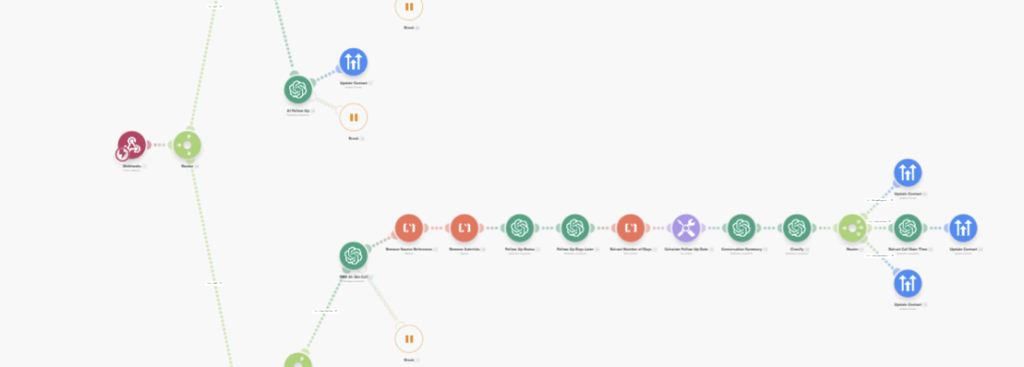
Make (formerly Integromat) is brilliant when you need clear, highly visual workflows but don’t want to write code. The drag-and-drop canvas makes it incredibly easy for non-technical team members to see exactly how data routes from A to B. Furthermore, recent platform updates have introduced powerful features that allow you to deploy AI agents directly within your scenarios.
The Catch: Credit-based scaling The obvious downside to Make is how it handles scale. Make operates on a credit-based pricing model, meaning every single module (step, filter, or router) in your workflow consumes a credit when it runs.
When you start pushing high volumes of data through larger workflows, the cost-to-impact ratio shifts dramatically.
- Take an automated scenario that has 30 different modules.
- If that workflow executes 5,000 times per month (a very standard volume for business operations), you are burning through 150,000 credits.
- At 150,000 credits, you are looking at roughly $150+ per month on a Pro license – and that is just for one workflow.
When to use Zapier
The Sweet Spot: Speed to market, linear workflows, and connecting legacy/niche apps.
Zapier is the undisputed king of speed. If your goal is to set up a linear workflow in 10 minutes (e.g., triggering CRM actions, syncing emails to a newsletter, or sending Slack alerts), Zapier is your best bet. Because it has a catalogue of over 3,000 pre-built integrations, you can seamlessly connect the systems you already use without having to read API documentation or decipher complex authentication credentials.
The Catch: Task-based pricing Zapier’s downside is infamous: the price tag. Zapier bills separately for each task (a successful action step).
- If you have a 10-step Zap that runs 1,000 times a month, that is 10,000 tasks.
- To support that volume, you are immediately pushed into a $100+/month tier. While we love Zapier for its ease of use and native integrations – making it perfect for solo founders or simple A-to-B data transfers – anything beyond a few steps will quickly run up an extensive operational bill.

When to use n8n
The Sweet Spot: High-volume data processing, technical teams, and budget-conscious scaling.
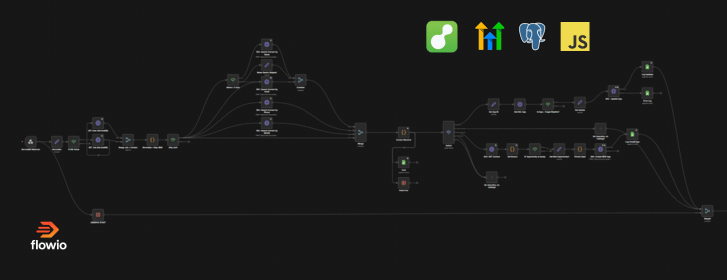
This is where you go when you are tired of paying a premium for every single module or task. n8n is a developer-friendly, node-based automation tool that handles complex, heavy-duty workflows without punishing you financially for scaling up.
Unlike Make and Zapier, n8n’s cloud version charges per execution meaning a workflow running from start to finish counts as exactly one execution, regardless of whether it has 2 nodes or 200. Even better, n8n offers a free “fair-code” self-hosted version.
If your team has the technical know-how to host it on your own server (like Hostinger, AWS or DigitalOcean), you get completely unlimited workflows and executions for nothing more than the cost of your server space (often under £20/month).
The Catch: The technical barrier n8n is not as friendly to absolute beginners as Make or Zapier. While it has a visual interface, getting the most out of it often requires basic JavaScript knowledge for data manipulation. If you are self-hosting, you also take on the responsibility of server maintenance, security, and version updates.
When to use Code
The Sweet Spot: Infinite scalability, control, zero vendor lock-in
Many businesses immediately skip the custom code route, assuming it requires months of expensive development time and creates a massive maintenance headache. But here is the industry secret: platforms like Make, Zapier, and n8n are essentially just visual user interfaces built on top of Node.js and TypeScript backends. When you drag and drop a visual node, you are ultimately just generating code.
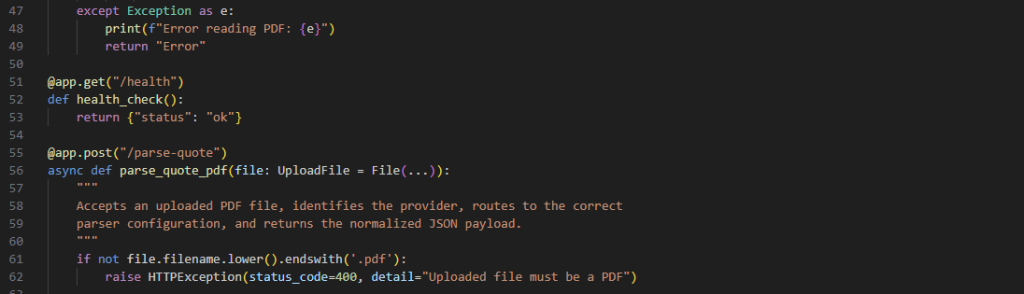
Skipping the middleman and writing that code directly, typically using Python or JavaScript/Node.js can often be built just as fast by an experienced developer. More importantly, custom code offers significantly higher reliability, lightning-fast execution speeds, and zero arbitrary “task” limits.
It also gives your business ultimate longevity. If a workflow platform suddenly doubles its pricing, changes its execution limits, or shuts down entirely, your custom-coded infrastructure remains perfectly intact. It stands the test of time.
The Catch: The Accessibility Bottleneck The obvious trade-off is visibility. When a visual Zapier or Make workflow breaks, a non-technical operations manager can log in, look at the red error badge on the canvas, and often fix the broken data mapping themselves.
With custom code, your workflows are locked behind a terminal or repository. You become entirely reliant on developers (either in-house or an agency) to troubleshoot API errors, update authentication tokens, and maintain the hosting environment. If your team lacks technical resources, the money you save on execution costs might end up being spent on developer retainers.
What flowio recommends
Ultimately, the “best” automation platform isn’t the one with the most features or the slickest marketing, it’s the one that aligns with your operational reality.
Deciding which stack your business requires realistically comes down to four core pillars:
- The Complexity of Your Workflows: Are you simply moving a lead from a web form to a CRM (Zapier), orchestrating multi-step AI agents with complex routing (Make), or processing heavy data transformations (n8n / Custom Code)?
- Your Execution Volume: How often are these workflows going to run? If you are processing a few hundred tasks a month, per-action pricing won’t hurt. If you are processing hundreds of thousands, you need a per-execution or self-hosted model to avoid crippling costs.
- Your Technical Capability: Who takes ownership when a workflow breaks? If it’s your non-technical operations or marketing team, a visual builder is mandatory. If you have in-house developers, or an automation agency such as flowio, n8n or custom code becomes highly viable.
- Your Roadmap for Scale: Are you building a temporary MVP, or are you laying down the permanent operational backbone of your business?
The flowio Approach
Here at flowio, we assess the unique needs of every business before recommending a specific automation stack. We don’t believe in forcing our clients into a platform just because it’s what an agency prefers to build in.
In our experience, most of the businesses we partner with fall into the “middle layer.” They have ambitious scaling plans and complex logic needs, but they don’t necessarily want the overhead of managing raw code. For these businesses, the transition usually involves migrating away from the expensive, linear constraints of Zapier, and building a robust, future-proof architecture in Custom Code or n8n – that scales with them.
Before you commit your data, your time, and your budget to a platform, make sure it’s one that will scale with you, not against you.
Ready to stop guessing? If you are unsure which platform is right for your next build, or if your current execution costs are spiralling out of control, let’s talk. Reach out to the team at flowio for a workflow audit, and we’ll help you map out the perfect stack for your business.
About the author

Malcolm Gibb — Founder & CEO // flowio
Hi, I'm Malcolm — Founder of flowio. I founded flowio after 15 years of leading performance marketing agencies. flowio exists to help businesses combine AI, automation and smart development solutions to solve critical business challenges. The content you read here is written by myself and based on experiences, insights and topical content from working with our clients.
Looking to speak to an expert to help your business scale? Whether you are starting your journey into AI strategy or need a full done-for-you automation solution, book a chat with us to discover where the opportunity exists.